kg, g, m, cm, m², m³, litres and pcs on simple products.
Precise step and limits
Minimum, maximum and up to four-decimal quantity precision; server validation.
Whole-box area
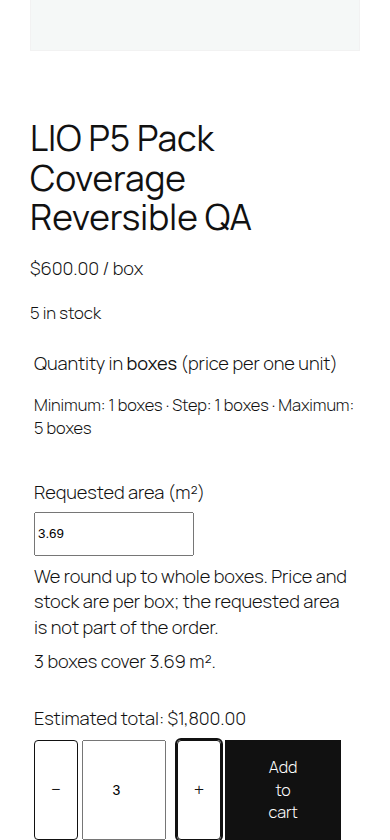
Enter m² per box; the requested area rounds UP to whole boxes.
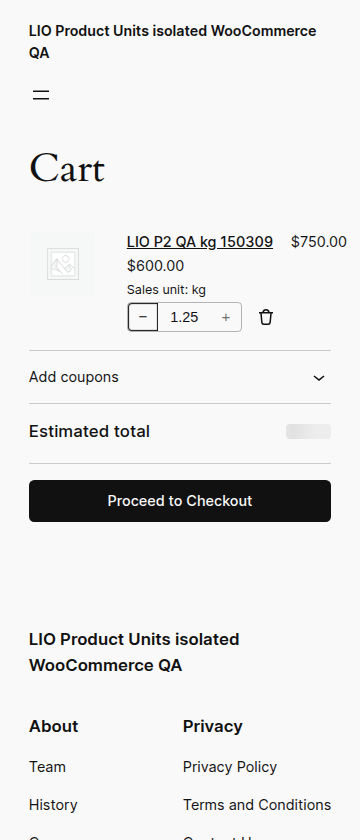
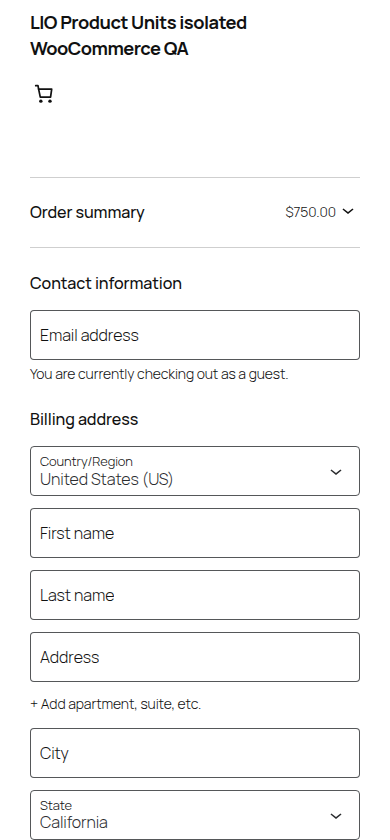
Native cart and checkout
WooCommerce prices, stock, discounts, tax, shipping and refunds remain authoritative.
Buyer controls
Accessible quantity buttons, inline errors and immediate estimates.
Local, without a license
Free functions run on your own store without SaaS, tracking or LIO CMS.
Whole-box example
A box covers 1.23 m² and costs 600 currency units. A request for 2.46 m² gives 2 boxes / 1,200; 2.47 m² gives 3 boxes / 1,800. Actual supplied area is 3.69 m². Tax and shipping are calculated separately by WooCommerce.
REAL QA SCREENS
How it looks in WooCommerce
Captured from isolated WordPress/WooCommerce testing; no customer data.
Whole-box area calculatorMeasured product in Cart BlockCheckout Block with measured quantity
Install in WordPress
Back up your store and open Plugins → Add New → Upload Plugin.
Choose the ZIP and activate with WooCommerce 11.2+.
Edit a simple product, enable Product Units, set minimum/maximum/step and native WooCommerce price.
Works with simple products, not variations or bundle formulas. The WP Desk Flexible Quantity plugin is incompatible with measured products in the verified configuration. Test payment, shipping, stock and theme integrations on a staging copy. Installation updates from our website are manual; WordPress.org automatic updates are not available yet.
Already using LIO Product Units 1.1.0? This is a renamed plugin directory, not an in-place WordPress upgrade. First make a staging backup, deactivate the legacy plugin, then install and activate LIOSFERA Product Units. Do not enable both plugins at once. Existing product measurement metadata is reused; do not select the legacy plugin’s delete-on-uninstall data option. The original legacy ZIP remains available.
WordPress.org review: Awaiting Review (1 November 2026). The Plugin Directory accepted the initial LIOSFERA Product Units Free 1.1.0 submission under the provisional slug liosfera-product-units. It has not been reviewed, approved or published. The direct LIOSFERA ZIP remains available; automatic updates from WordPress.org are not available yet.
Free 1.1.0 is a direct publisher release, not a listing in the WordPress.org Plugin Directory. It has been tested on isolated WooCommerce and LIOSFERA QA, but cannot guarantee compatibility with every third-party extension.

 LIOSFERA / LIO Plugins